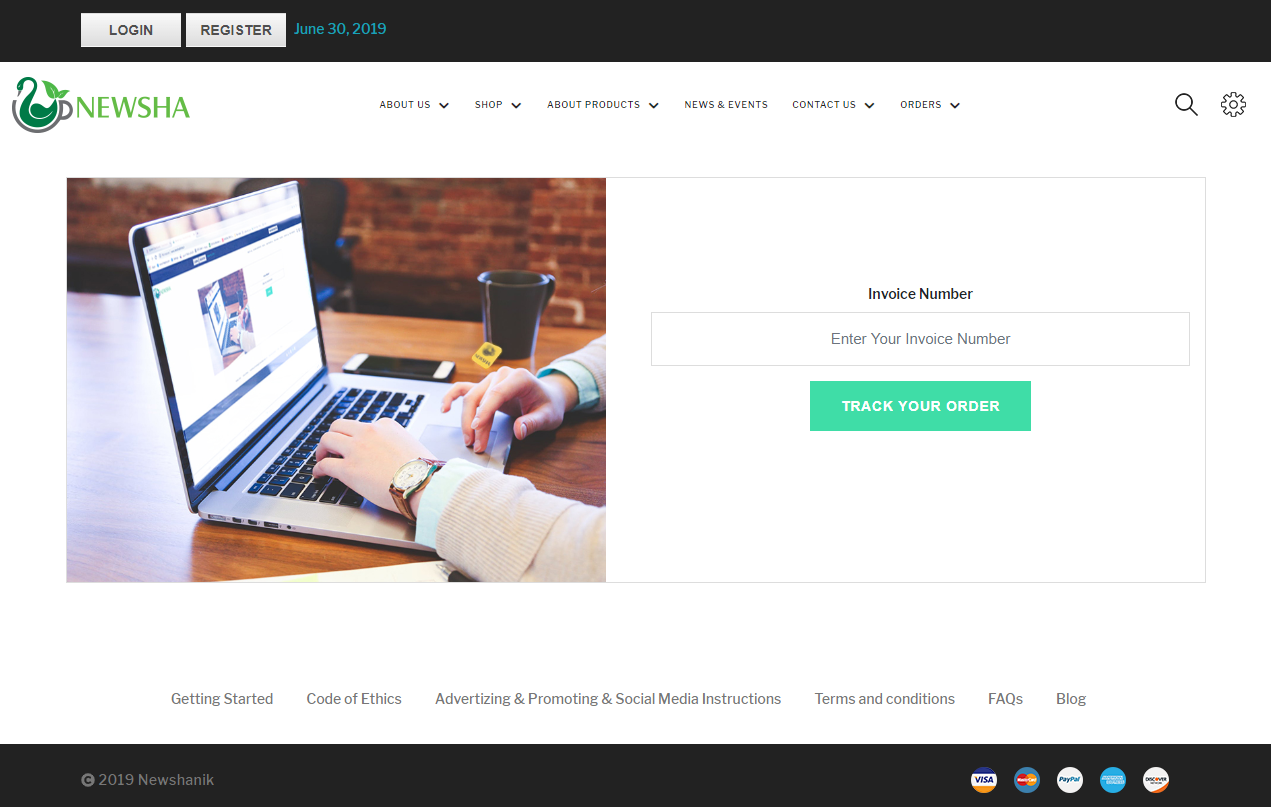
In order to track your order, please go to “Orders – Track Your Order” menu.
1. Enter your invoice number and press “Track Your Order”.
2. You will see the current status of your order.
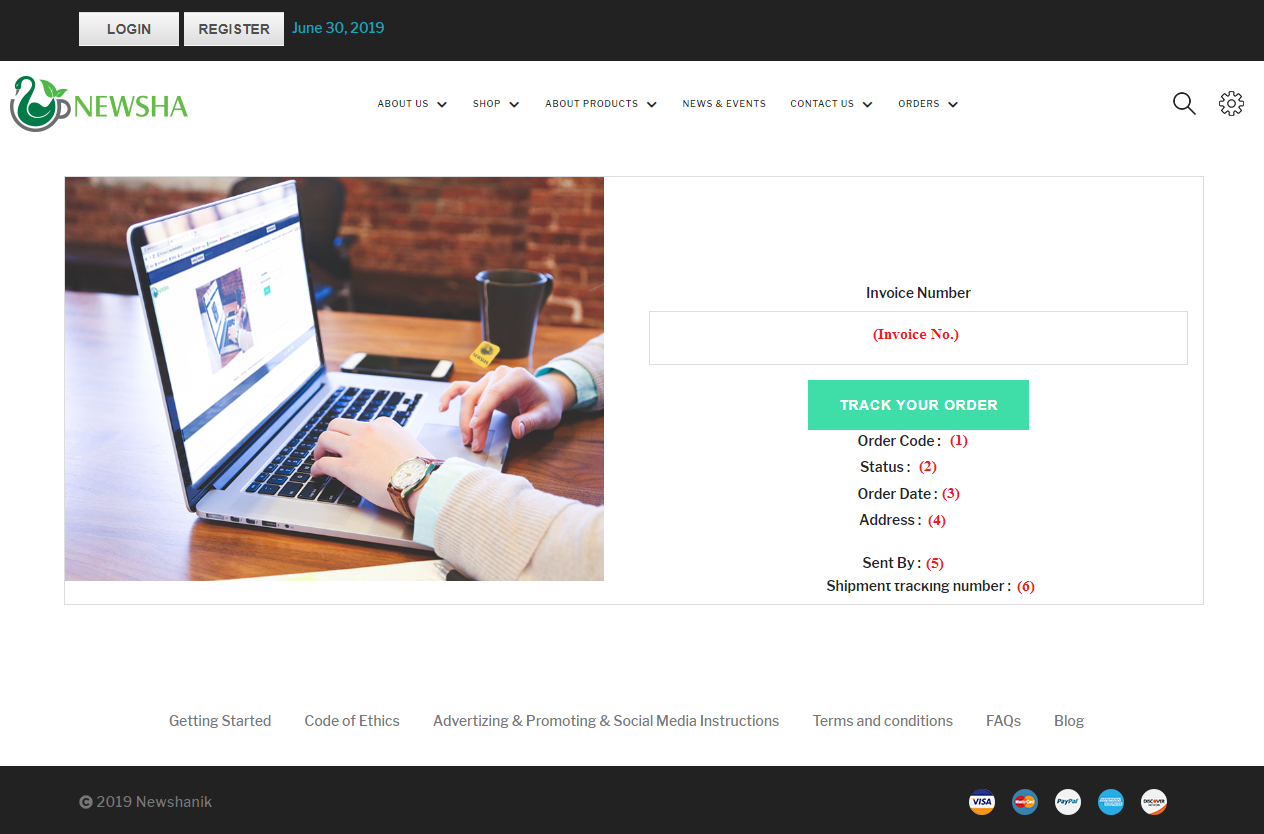
Number (1): the same invoice number that you are checking its status.
Number (2): the current status of your order. It might be one of the followings:
|
Your order has not yet been confirmed. |
Pending |
|
Your order has been entered into our system and it will be soon processed and packed. |
Processing |
|
Your order is being processed and packed. |
Waiting to be Packed |
|
The order has been packed and is ready for shipment. |
Packed |
|
Your order has left our warehouse. |
Dispatched |
|
The order has been delivered and the customer has received it. |
Delivered |
|
The order is being returned to our warehouse (It is on its way). |
Returned |
|
Your order has been cancelled. |
Cancelled |
|
Your order has been returned and the products are now at our warehouse. |
Returned and Awaiting Shelving |
|
Your order has been returned and the products are back to the shelves. |
Returned to Shelves |
|
Your order can NOT be packed. We need to talk with you. |
Verification Required (Not Packed) |
|
Your order can NOT be sent. There is a problem with your address; we need to talk with you. |
Verification Required (Not Dispatched) |
|
The courier company tried to deliver your order but was not successful |
Failed Delivery |
|
* If a status is followed by a “Pending”, it means that you have settle your invoice by depositing the amount into our bank account and the bank has NOT yet confirmed the payment. |
|
Number (3): the date and time when you settled the order.
Number (4): shipping address
Number (5): the courier company. (It will be updated when the status changes to “dispatched”)
Number (6): the AWB number used in the courier’s website; In order to check the status of your order, click the link and enter this AWB No.
Example:
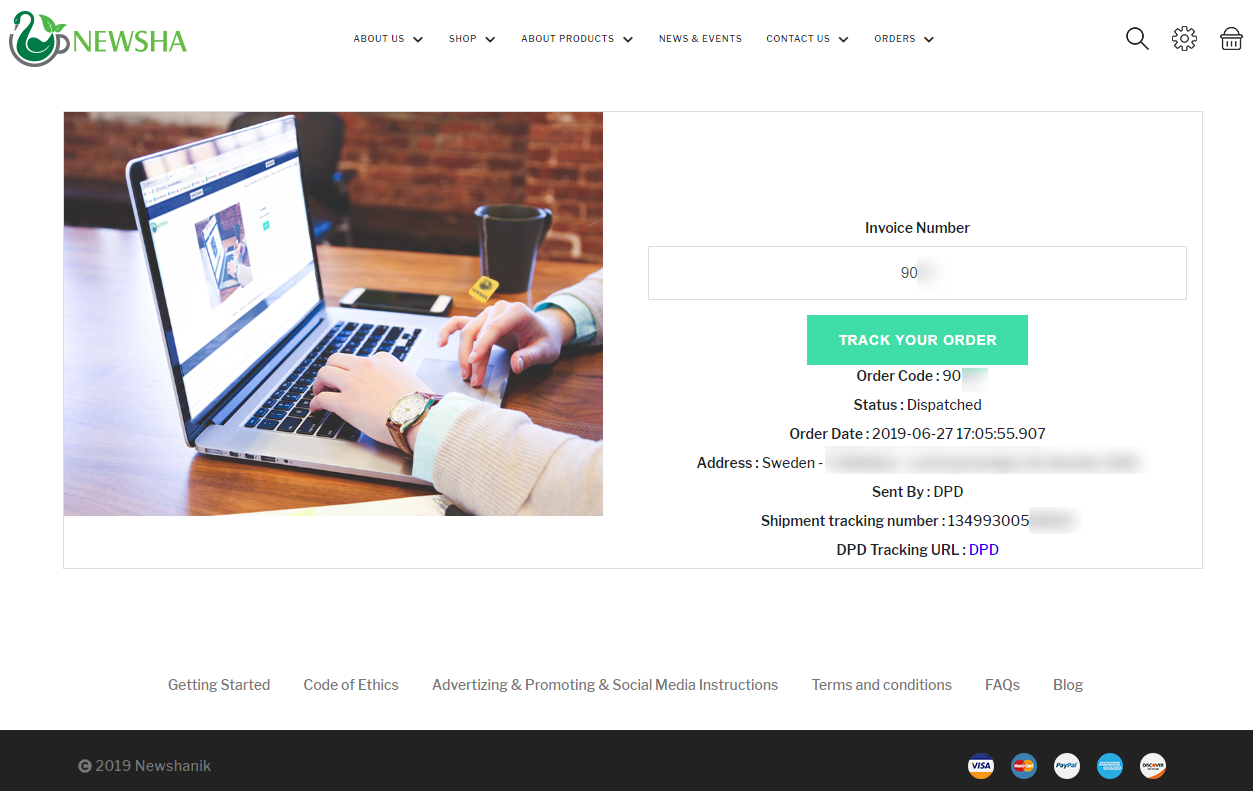
As you see in the picture:
- Invoice number: 90 …
- Destination country: Sweden
- This invoice has been paid on June 27, 2019 at 17:05
- The current status: Dispatched. So, the package has left our warehouse and it is on its way to the customer.
- It has been couriered by DPD.
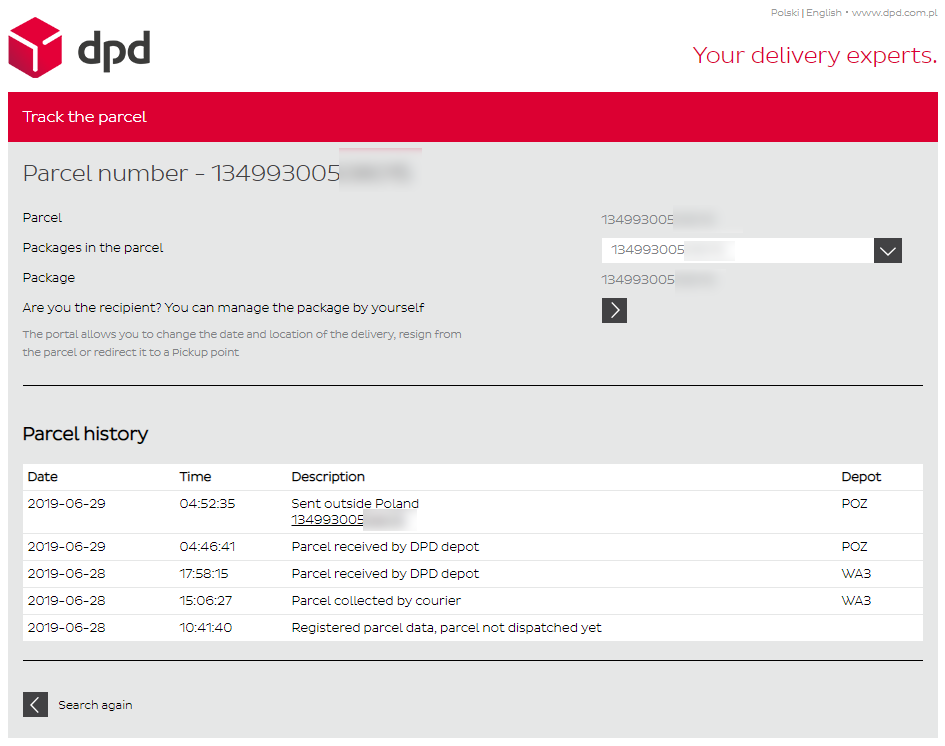
How can we track our order in the courier’s website?
On “DPD Tracking URL”, click the link (blue DPD). It will take you to DPD website
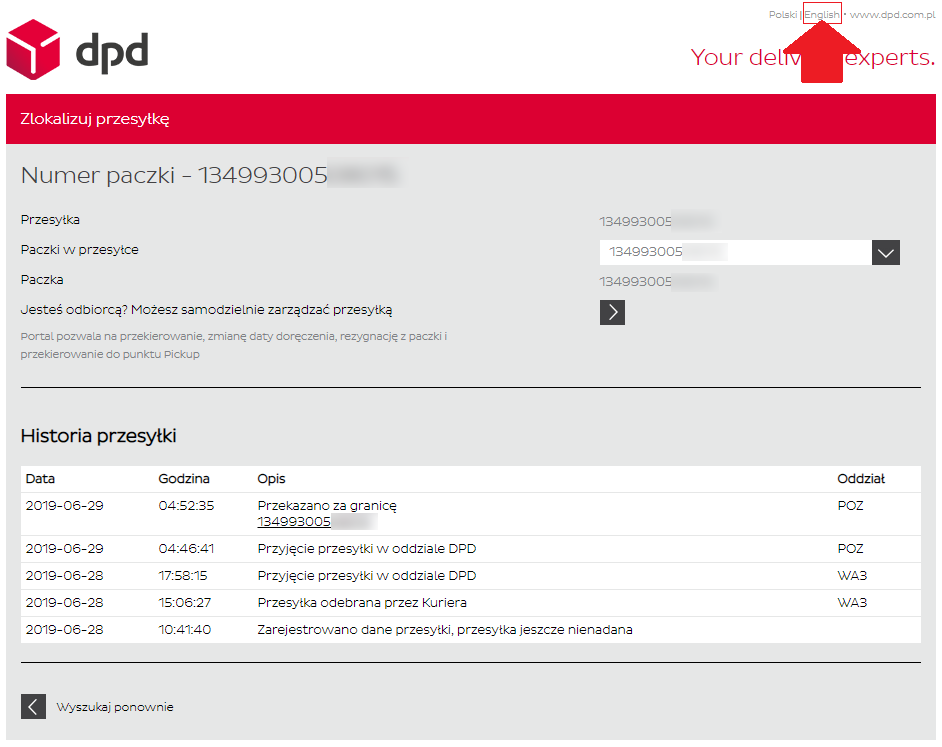
If you want to see the English version of the website, please choose “English” at the top right corner of the website
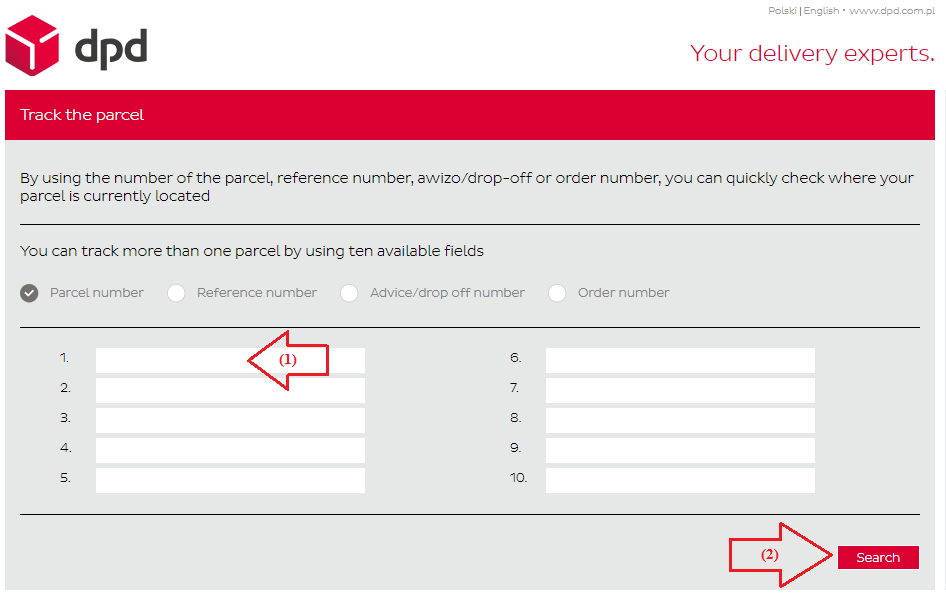
Then, in field number (1), enter the shipment tracking number and press “search” (Number 2).